Overview
AI chatbots are programs that simulate human-like conversation. They use natural language processing (NLP), machine learning, and deep learning to understand what a user types, work out the intent, and reply appropriately.
This project designed a website chatbot end to end — from research and planning through user flows, wireframes, final UI in light and dark mode, and a supporting design system. The goal was a chat experience that feels familiar, answers quickly, and is honest about its limits.
A chatbot has to serve the user and the business at the same time.
Resolve common queries
Provide customer support and answer frequent questions instantly, any time of day.
Personal recommendations
Increase sales by suggesting products or services based on what the user needs.
Learn from conversations
Collect interaction data to understand users and improve the service.
Keep users coming back
Make conversations useful and pleasant enough to improve engagement and retention.
Target Audience
Understanding who will talk to the bot decides its tone, its language, and how much it should explain.
Choosing the Bot Type
Three approaches were compared against the objectives and the audience.
Rule-based
Predefined answers for simple, predictable queries. Reliable but rigid.
AI-powered
Uses NLP for complex, dynamic conversations that don't follow a script.
Hybrid
Combines rule-based logic for common paths with AI for everything else.
Competitors & Tools
Competitor chatbots were reviewed for common features, how well they engage, and where users complain — to find best practices and gaps.
On the build side, platforms were evaluated for NLP strength, analytics, and how easily they integrate with a CMS such as WordPress or Shopify and with backend APIs.
| Dialogflow (Google) | Powerful NLP capabilities. |
| IBM Watson Assistant | Enterprise-level solution with advanced analytics. |
| Rasa | Open-source framework for customized development. |
User Flows & Dialogue
Before any screen, the conversation itself was mapped — how the bot opens, which paths it follows, and what happens when it gets lost.
Greeting
How the bot introduces itself and shows people what they can ask.
Common paths
Scripted routes for the most frequent questions, with quick replies.
Fallback
A graceful answer when the bot doesn't understand — rephrase, suggest, or hand off.
Flows were visualised in tools such as Flowchart.io and Miro so stakeholders could review the logic before design started.
Wireframe
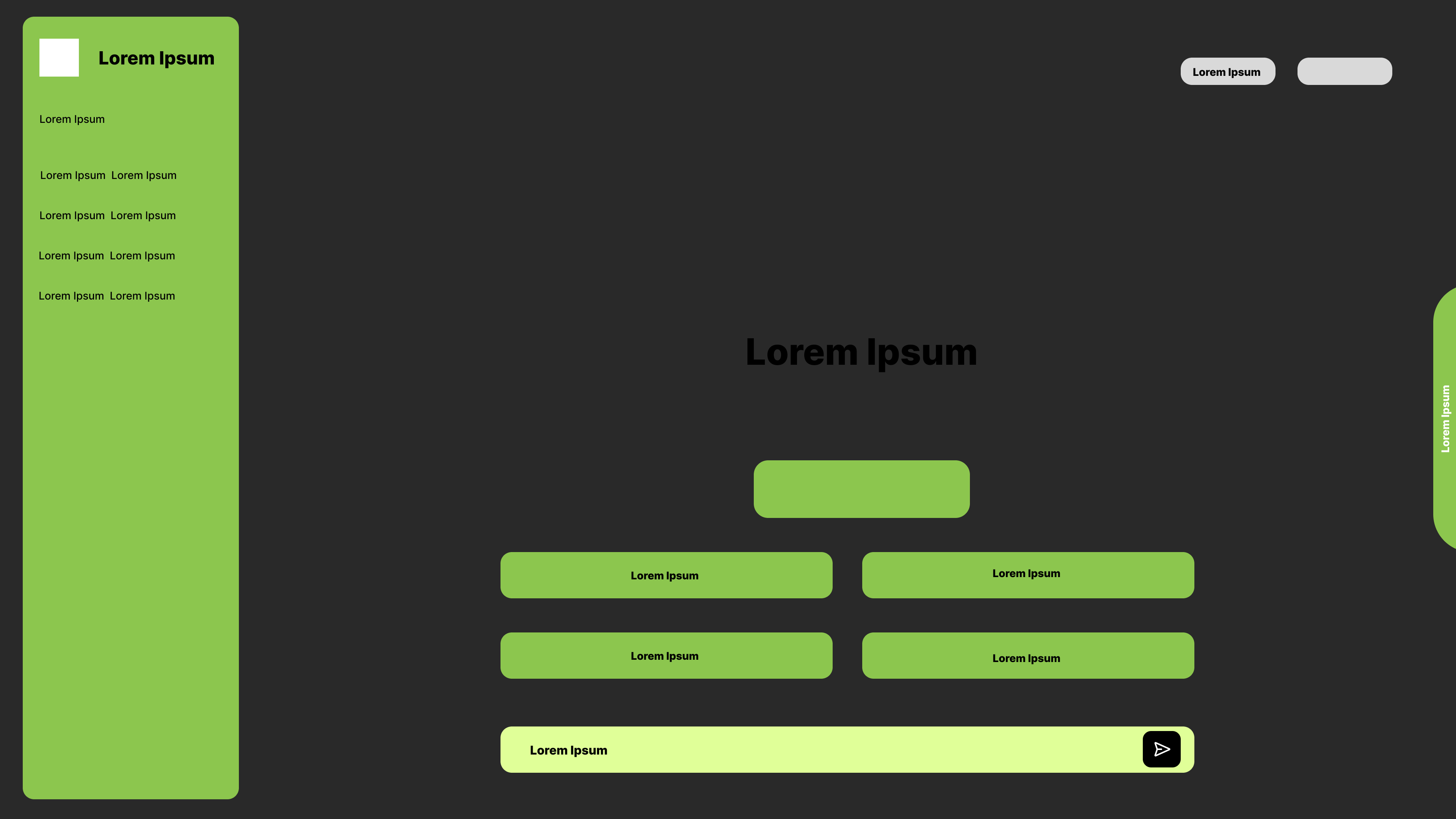
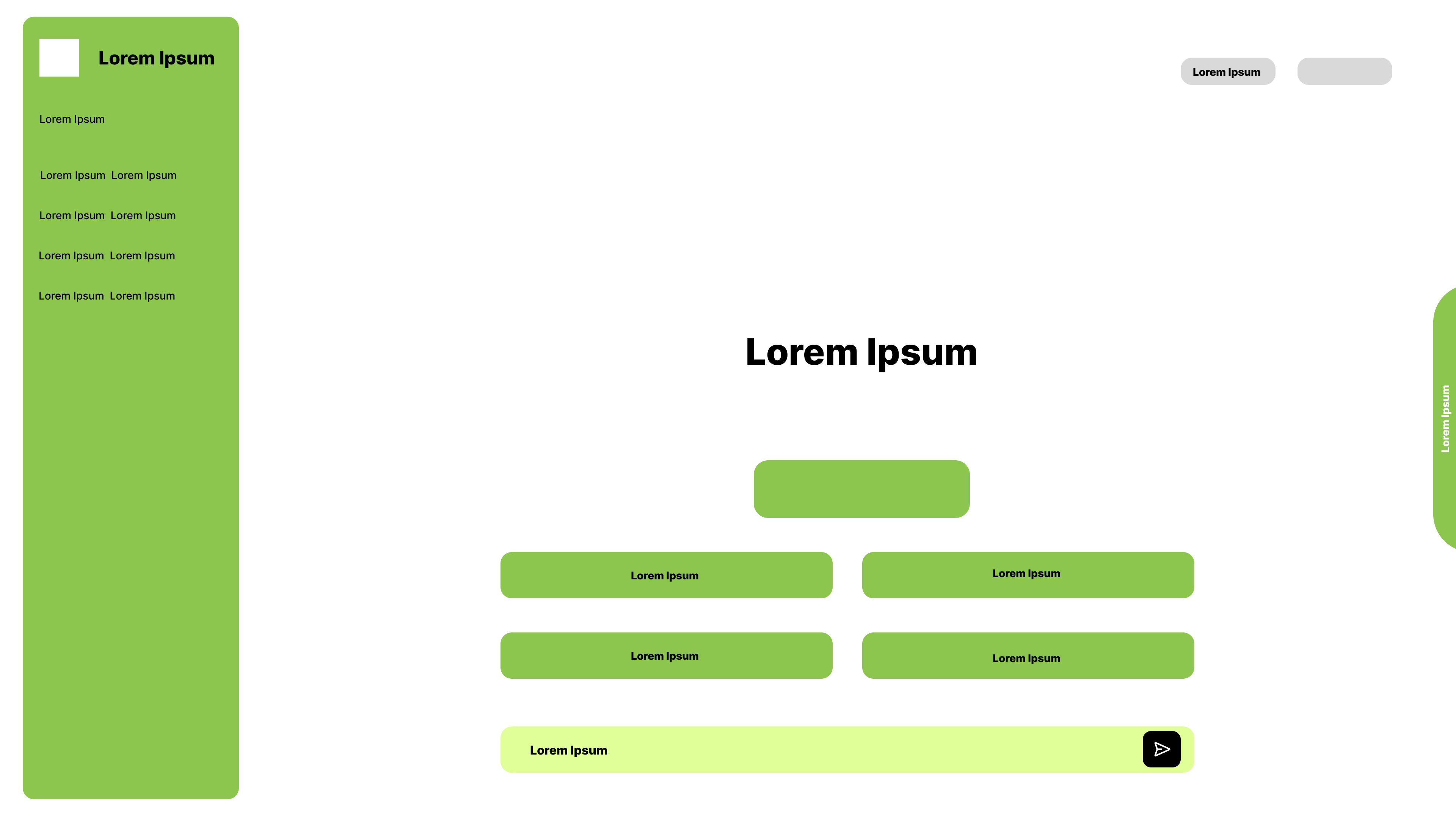
The layout was set early: conversation history on the left, a focused chat area in the centre, account actions top-right, and a single input bar at the bottom.
Four starter prompts sit above the input so a new user never faces an empty screen. The same structure was tested on dark and light backgrounds from the start.
Final Design
A clean, familiar chat interface with one fresh lime accent — in light and dark mode.
Examples · Capabilities · Limitations
The empty state does three jobs at once: example prompts show what to ask, capabilities explain what the bot can do (remember context, accept corrections, decline inappropriate requests), and limitations say plainly where it may be wrong.
This turns the ethics requirement — tell users they're talking to a bot and what it can't do — into part of the interface instead of a hidden policy page.
Home chat — light mode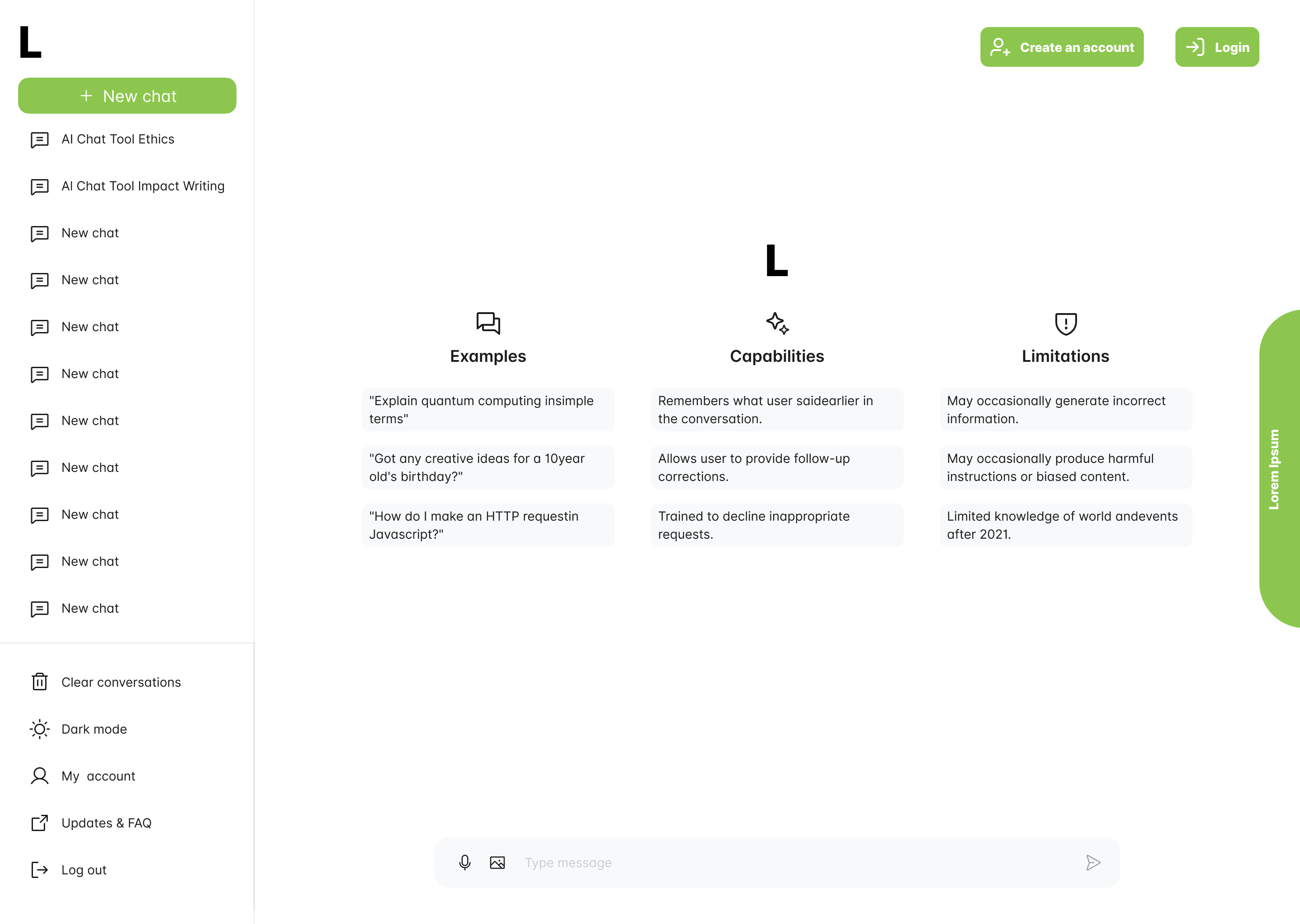
Chat history & controls
A "New chat" button leads the sidebar, followed by past conversations. Clear conversations, dark/light mode, My account, Updates & FAQ, and Log out are grouped at the bottom so they're easy to find but out of the way.
The input bar supports voice and image input alongside text, and Create an account / Login stay visible for guests.
Home chat — dark mode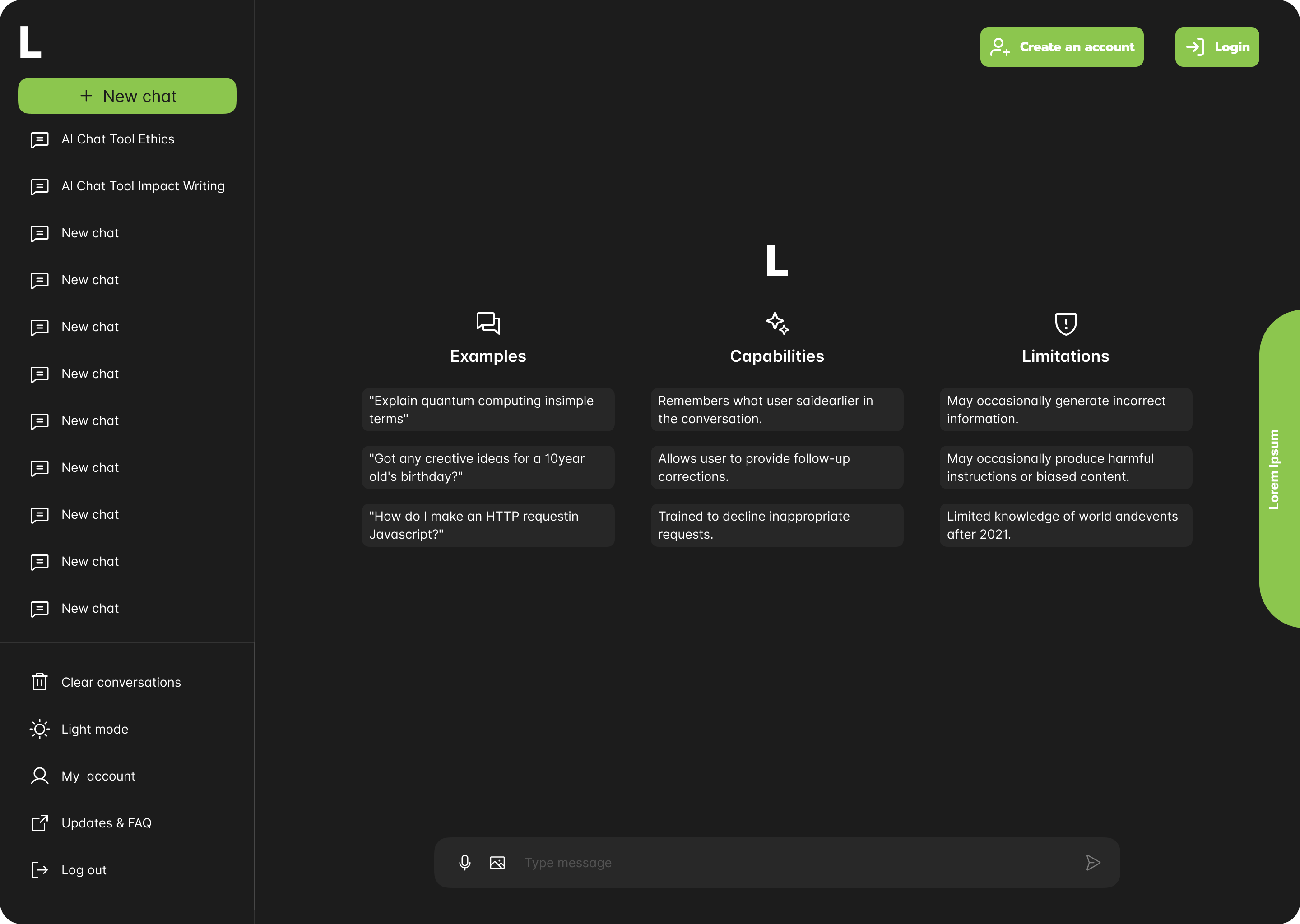
Small details that make a chat feel effortless.
Quick replies
Predefined buttons for common queries — fewer keystrokes, faster answers.
Personalization
Recommendations based on the user's history and the context of the conversation.
Multi-language support
Serve a diverse audience in the language they're most comfortable with.
Analytics
Track interactions to keep improving answers and flows over time.
Design System
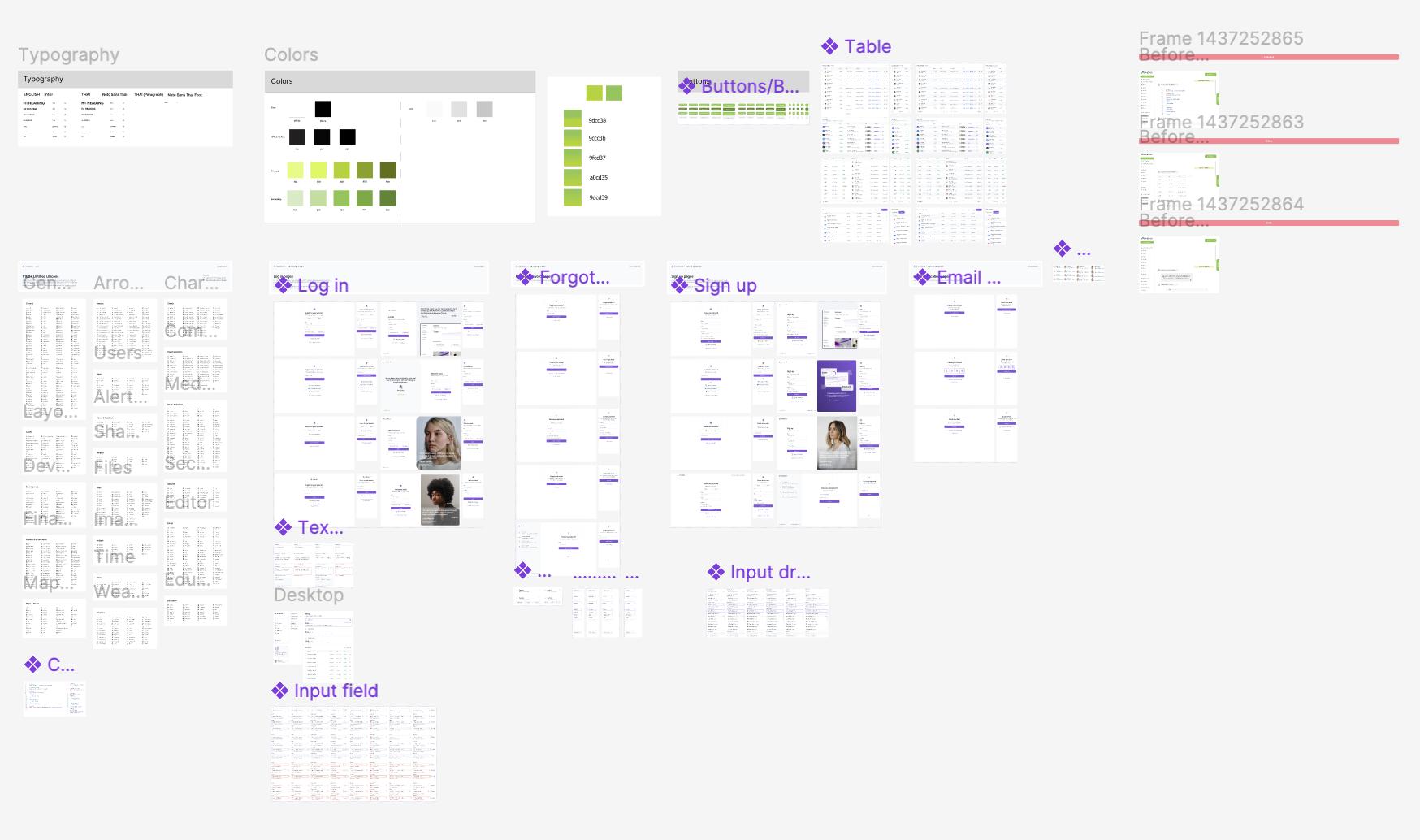
A component library keeps every screen consistent and lets the product grow quickly.
It covers typography, a black / white / grey neutral scale with a family of lime greens, buttons, tables, input fields and dropdowns, icon sets, and ready-made authentication flows — log in, sign up, forgot password, and email verification.
Test & Iterate
A chatbot is never finished at launch — it improves with every conversation.
Test
Accuracy of responses, edge cases and ambiguous inputs, and speed under heavy traffic.
Monitor
Number of interactions, resolution rate, and user satisfaction ratings.
Privacy & ethics
Encrypt user data, comply with GDPR / CCPA, be transparent that it's a bot, and state its limits.
Reflection
Good conversational design is mostly about setting expectations.
People trust a chatbot more when it is upfront about what it can't do. Putting examples, capabilities, and limitations on the very first screen — and keeping the interface quiet so the conversation stays in focus — was the most important decision in this project.