Introduction
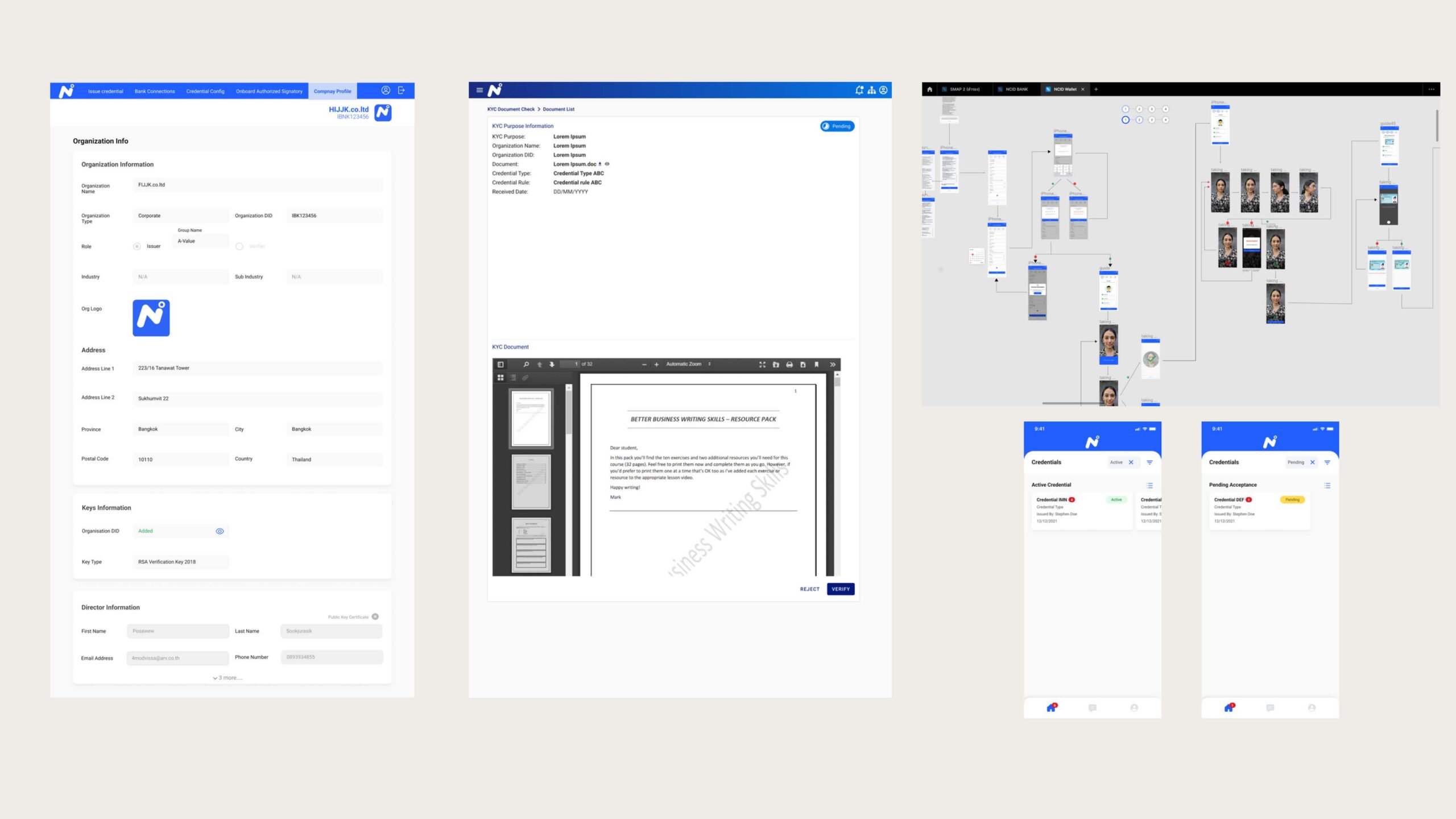
This project involved the development of a Corporate Banking Account Opening Management System, designed to streamline document handling for account opening applications and verify the identities of individuals involved in the process.
The system was developed to comply with Thailand's laws and regulations and features an interface designed for ease of use by banking staff and corporate customers.
Research & Analysis
The process began with data collection to understand user needs, both from internal staff and external users.
We conducted research and analysis to define pain points and identify key user requirements for the system.
Users
Three roles meet in every account opening: the corporate applicant, the bank officer who processes it, and the administrator who keeps the system secure and compliant.
John Tan
Chief Financial Officer · Bangkok · 38 years old- Open a corporate banking account with minimal hassle
- Ensure legal and regulatory compliance
- Finish quickly while managing other work
- Limited time for extensive paperwork and identity verification
- Concerns about security of sensitive financial information
- Navigating complex, multi-step processes
Needs a quick, efficient service to avoid delays — and confidence in the security of the banking system.
Ananya Chaiyaporn
Corporate Account Opening Officer · Chiang Mai · 30 years old- Guide clients through the process smoothly
- Ensure applications are complete and comply with banking laws
- Process applications efficiently
- Incomplete or incorrect applications delay processing
- Keeping up with changing compliance requirements
- Managing many applications at once
Needs tools for efficient processing and simple, intuitive interfaces that reduce manual errors.
Somchai Patthana
NCID System Administrator · Bangkok · 45 years old- Keep the system running smoothly and securely
- Monitor performance to prevent downtime or breaches
- Support bank staff with technical issues
- Staying compliant with changing legal regulations
- Integrating identity verification with banking systems
- Dealing with user-related errors
Needs a stable, secure system and easy-to-use tools to monitor performance and security.
System Design
The system was designed so users could easily navigate document submission and identity verification. The interface gives clear instructions and reduces manual errors during the application process.
Account opening workflow
The applicant submits documents to the bank officer, who uploads them to the NCID System for verification. Failed documents go back to the applicant for correction; once identities of all involved parties are verified, the account is opened.
Key components:
- Document submission form
- Real-time identity verification
- Legal compliance checks
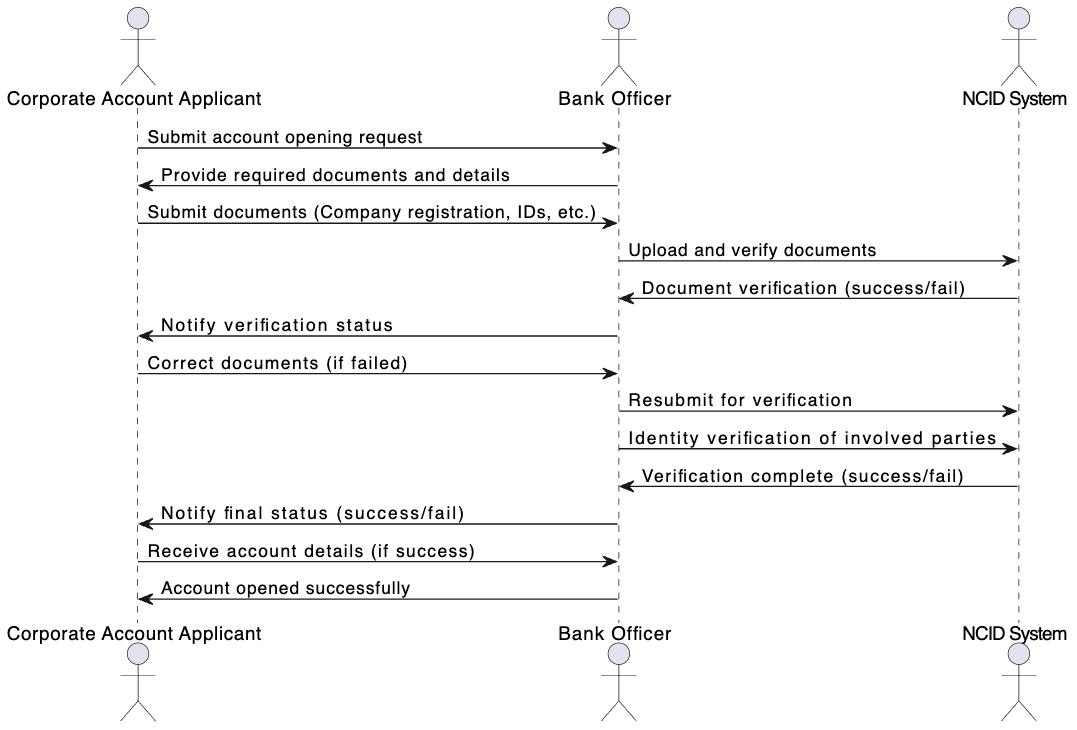 Workflow — applicant, bank officer, and NCID System
Development & Implementation
During development, I collaborated closely with developers to ensure the system's architecture aligned with the initial design plans.
I was also involved in consultations to ensure the technical aspects complied with Thailand's legal requirements regarding data privacy and financial transactions.
Mobile identity verification
A step-by-step mobile flow: customer information, OTP, video capture, ID card check, and smart card reader verification — with clear error states for incorrect information, expired sessions, and failed attempts.
Screen 01 — Mobile verification flow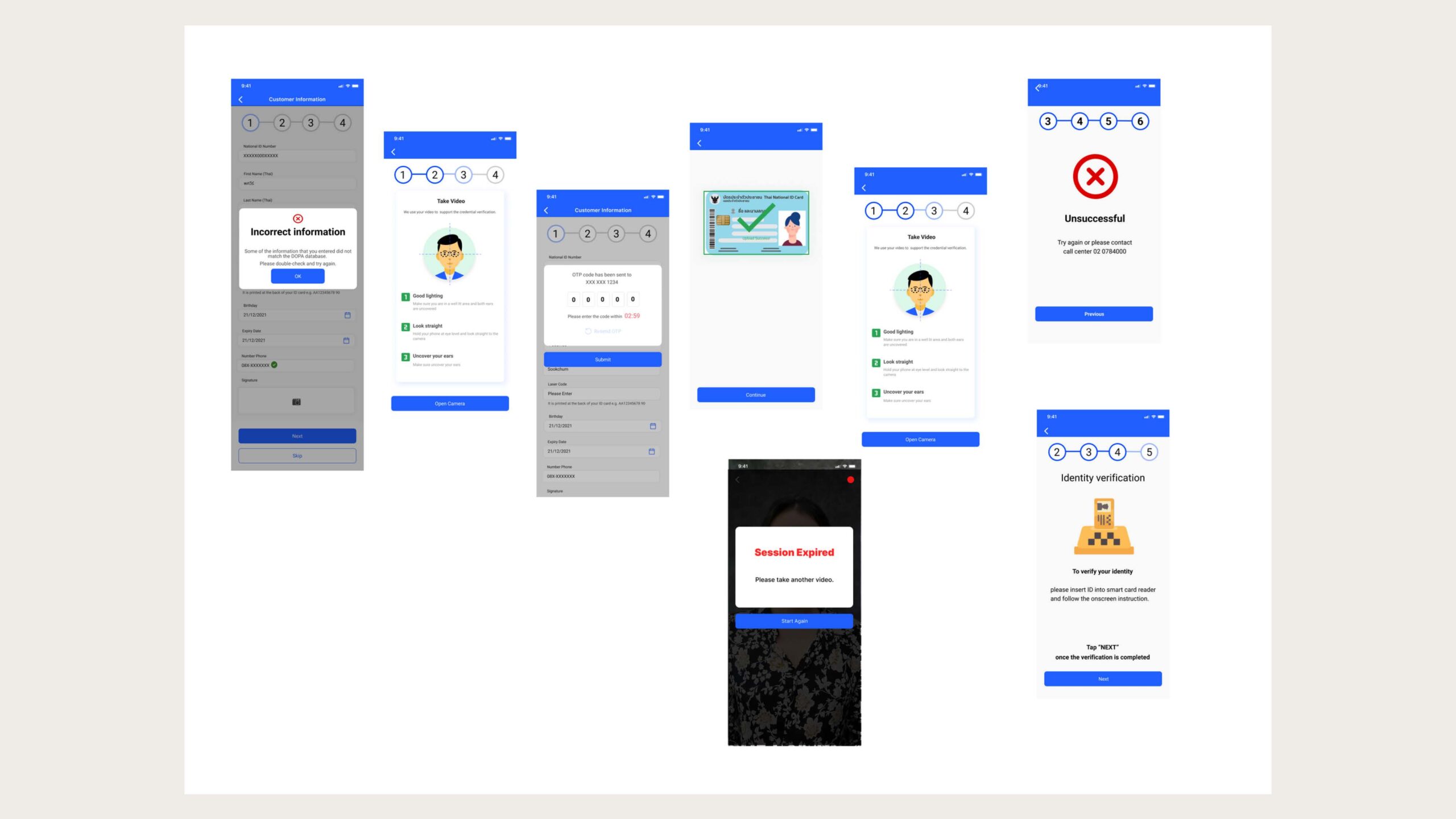
Organization & user management
Corporate profile with organization, address, key, and director information, alongside user editing with roles and supporting-document upload.
Screen 02 — Organization info and edit user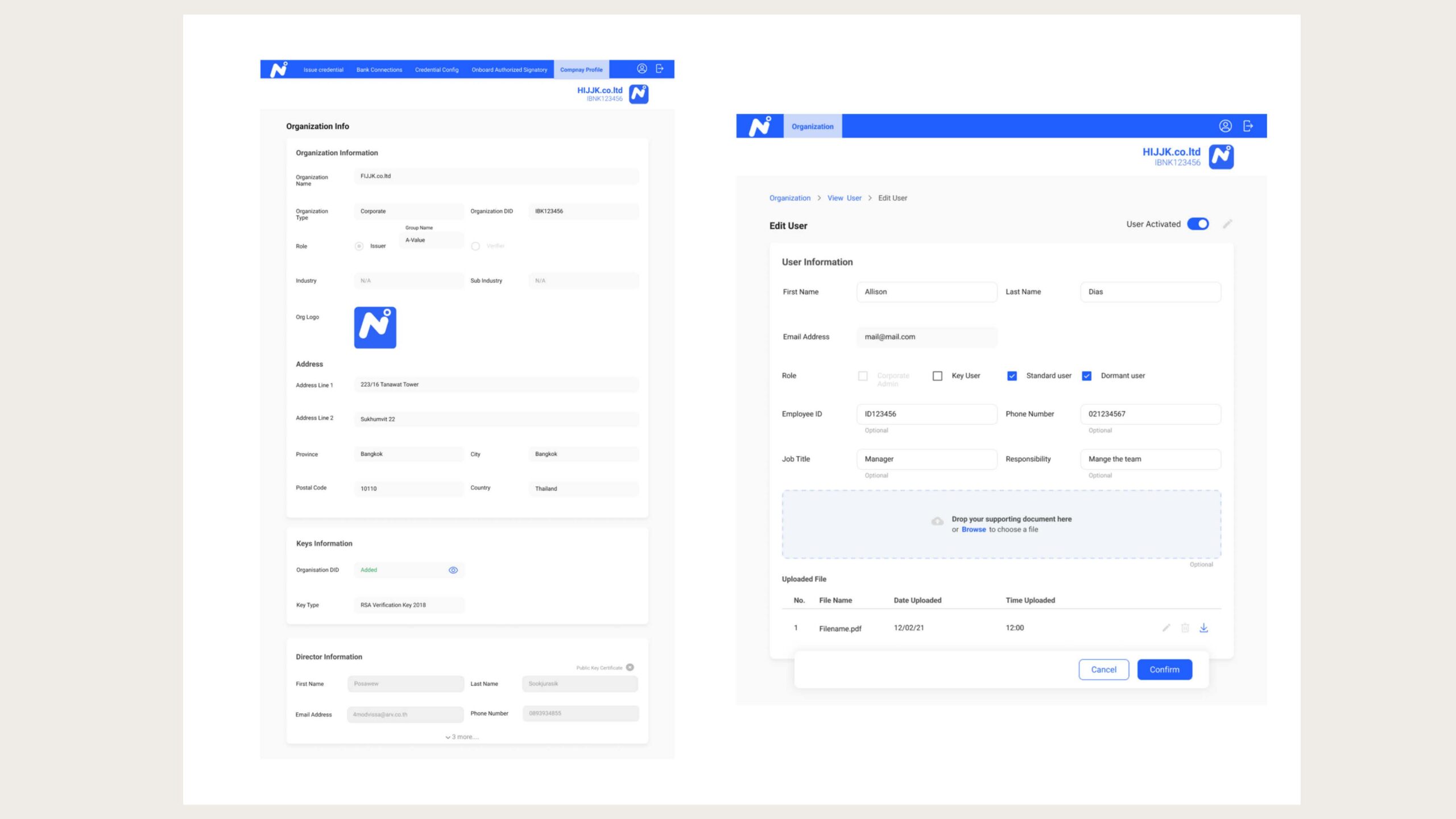
Directors & credentials
A searchable director list with national ID numbers, and a credential view showing authorized signatories and credential properties for staff to approve or reject.
Screen 03 — Director list and view credential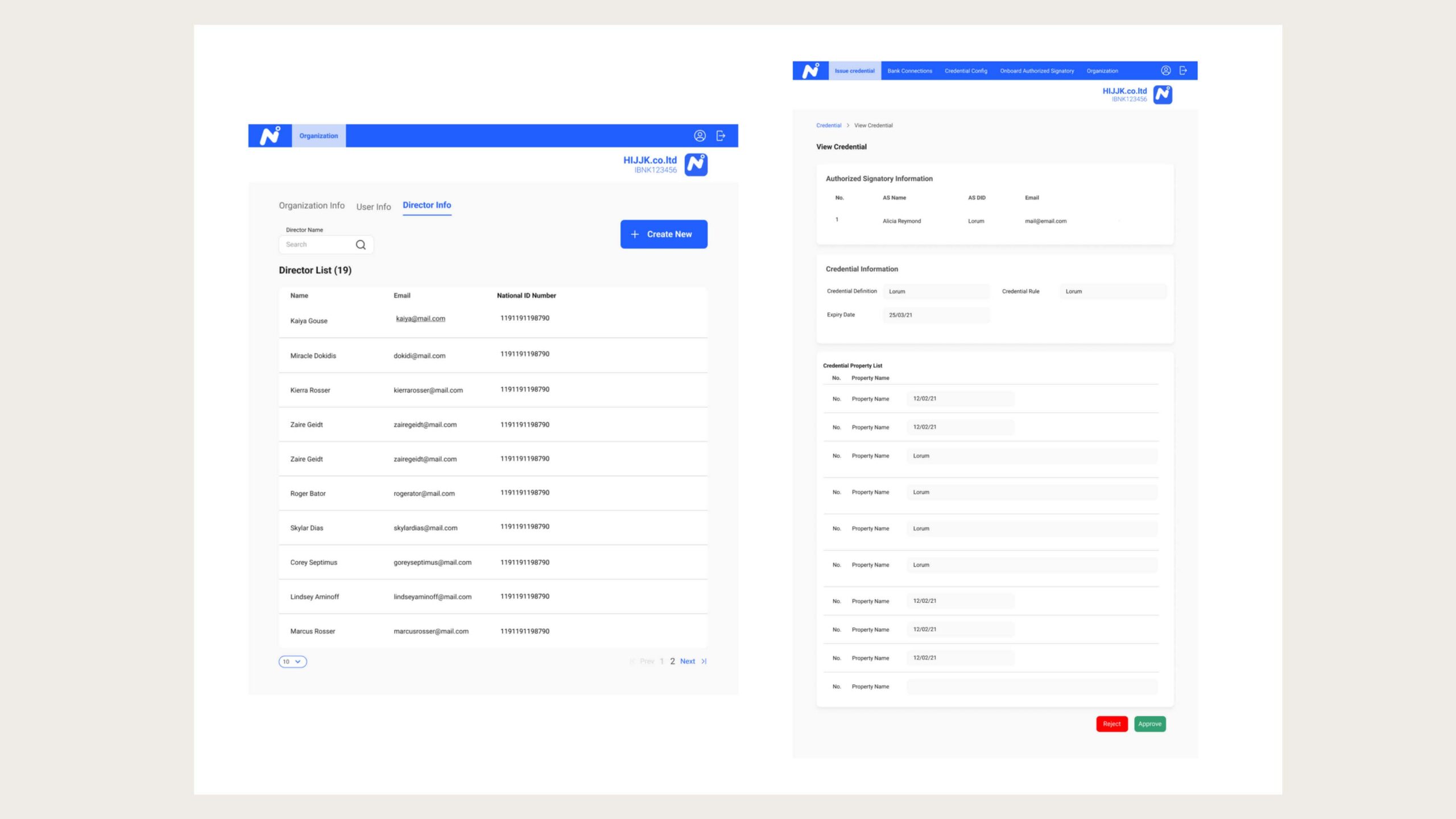
Director key registration
Directors enter their private and public keys and upload an X.509 certificate, with a confirmation once the information is submitted.
Screen 04 — Director key and certificate upload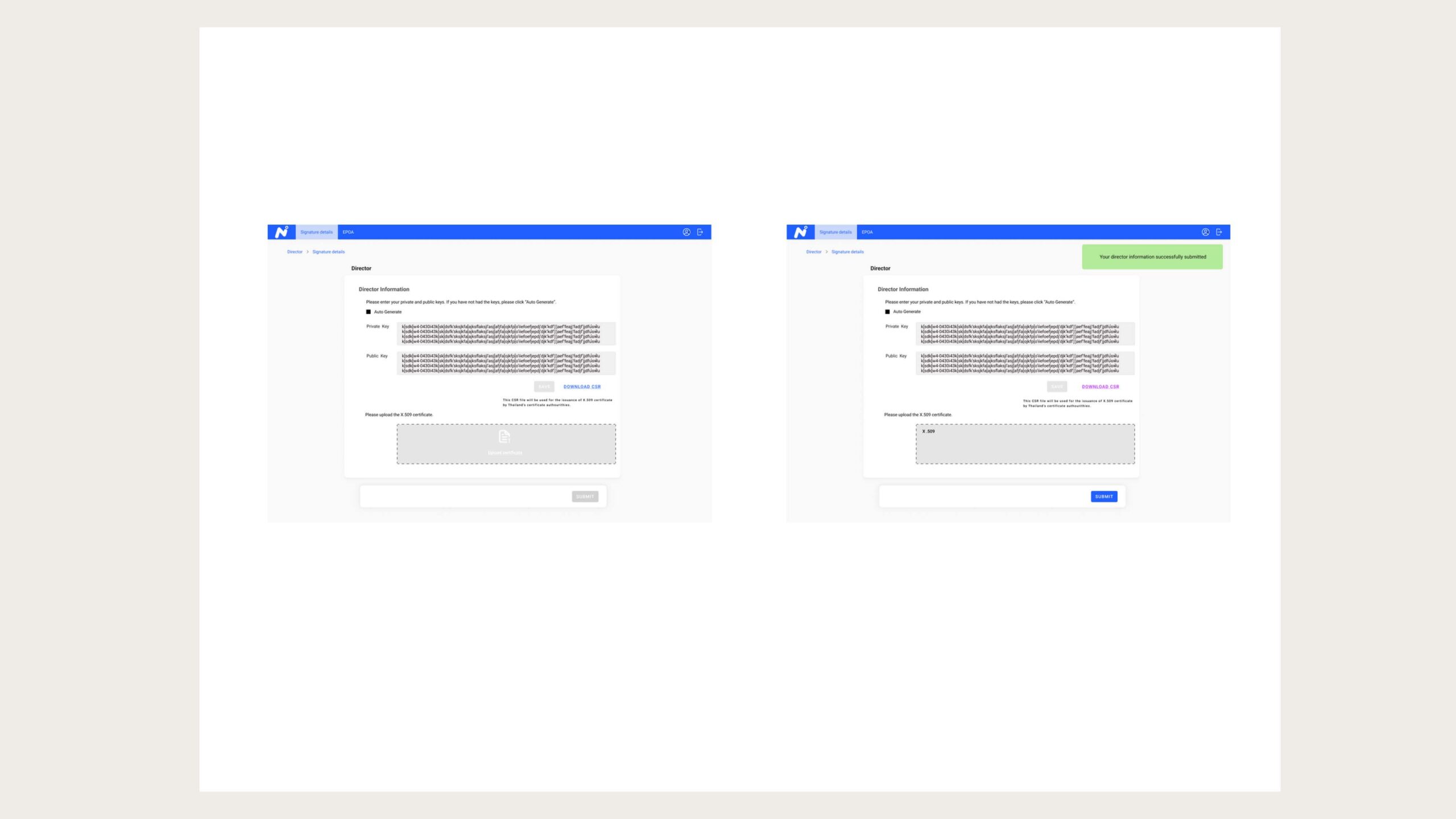
Testing & Feedback
The system underwent multiple rounds of testing, focusing on user experience (UX) and functionality. Feedback from end-users and stakeholders was collected to refine the system and ensure it met the operational needs of the bank.
Test flow
- Test Plan: define test objectives, identify test cases, prepare the test environment, and assign the test team.
- Test Execution: run functional, performance, and security tests while logging defects and issues.
- Review & Feedback: analyze results, then pass the system to development with feedback or retest failed cases.
- Final Approval: a final review; once all tests pass, the system is approved for release.
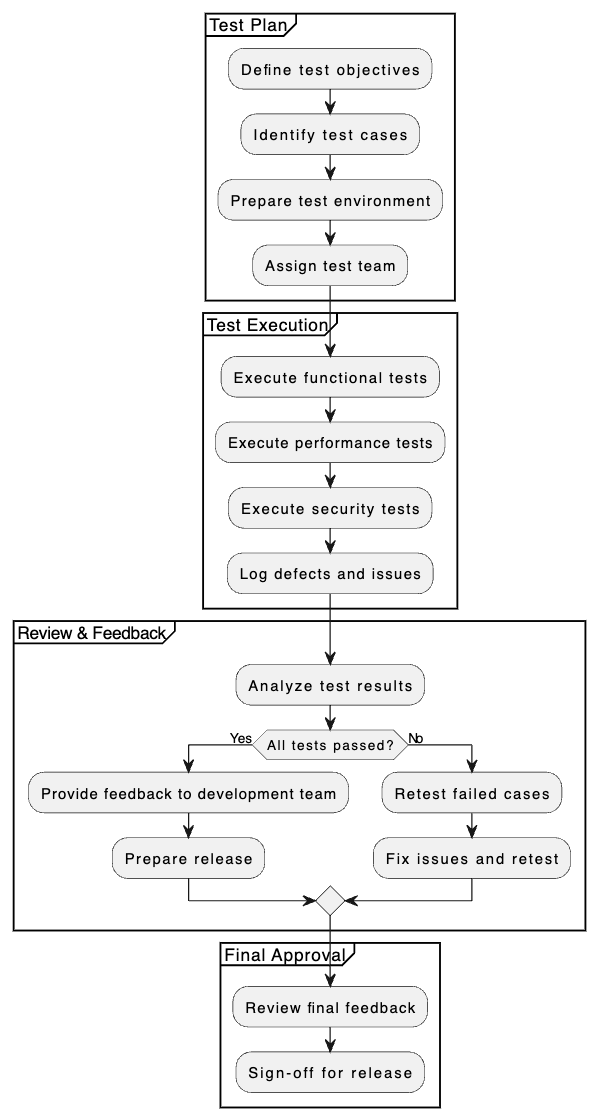 Test flow — from plan to release approval
Feedback loop
- User Feedback Collection: gather feedback and categorize it into positive, negative, and suggestions.
- Feedback Analysis: analyze positive feedback, identify pain points, and note new feature requests.
- Improvement Implementation: prioritize issues, implement high-priority fixes, and develop new features.
- Post-Implementation Review: review changes with the user group and collect post-implementation feedback.
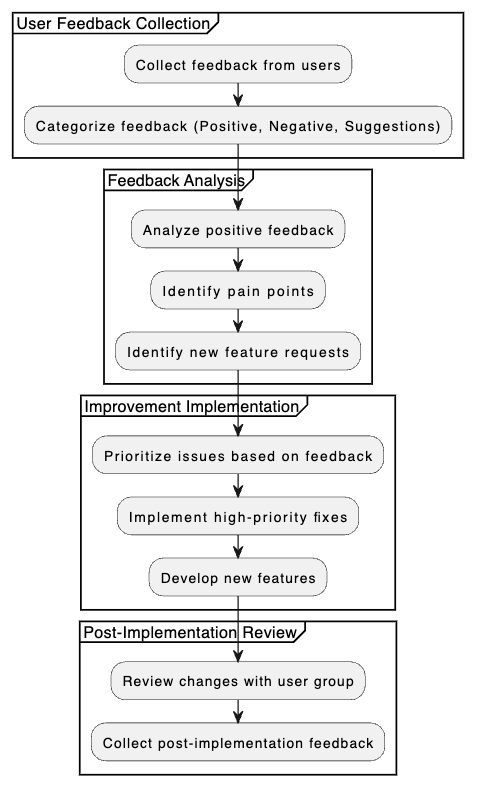 Feedback loop — from collection to post-implementation review
Conclusion
This project delivered a robust and user-friendly system that helps corporate clients and bank staff efficiently manage account opening processes while complying with legal requirements.
The system has significantly reduced processing times and enhanced data security through its integrated verification features.